Create a workflow
Learn how to build a workflow that matches your business needs
Prerequisites
Before you start building your workflow, make sure your output channels have been configured to be used.
Create a new workflow
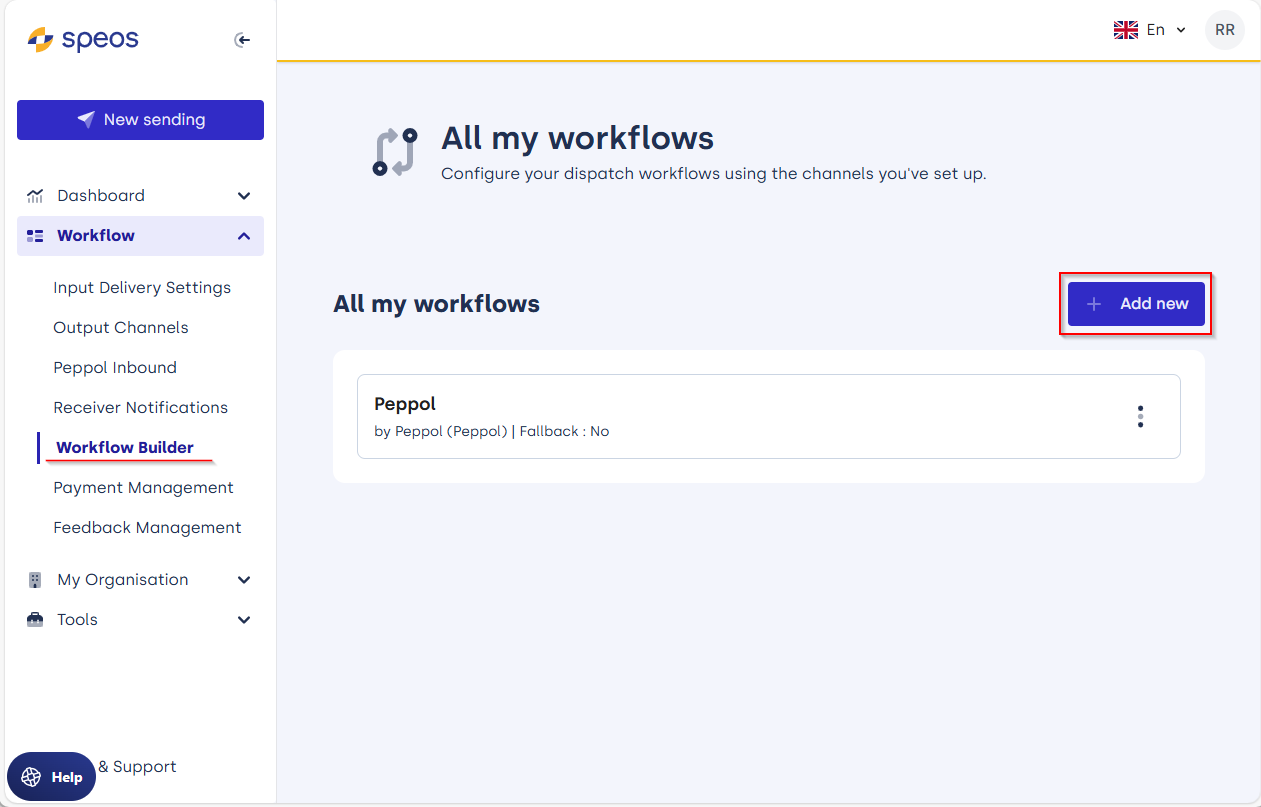
Navigate to the option "Worklfow Builder" in the menu. Choose 'Add new' to create a new workflow.
Simultaneous deliver with multiple Delivery Channels
You have the option to create multiple Deliveries, a delivery is a configuration of one or more delivery channels with optional fallback in case of error.
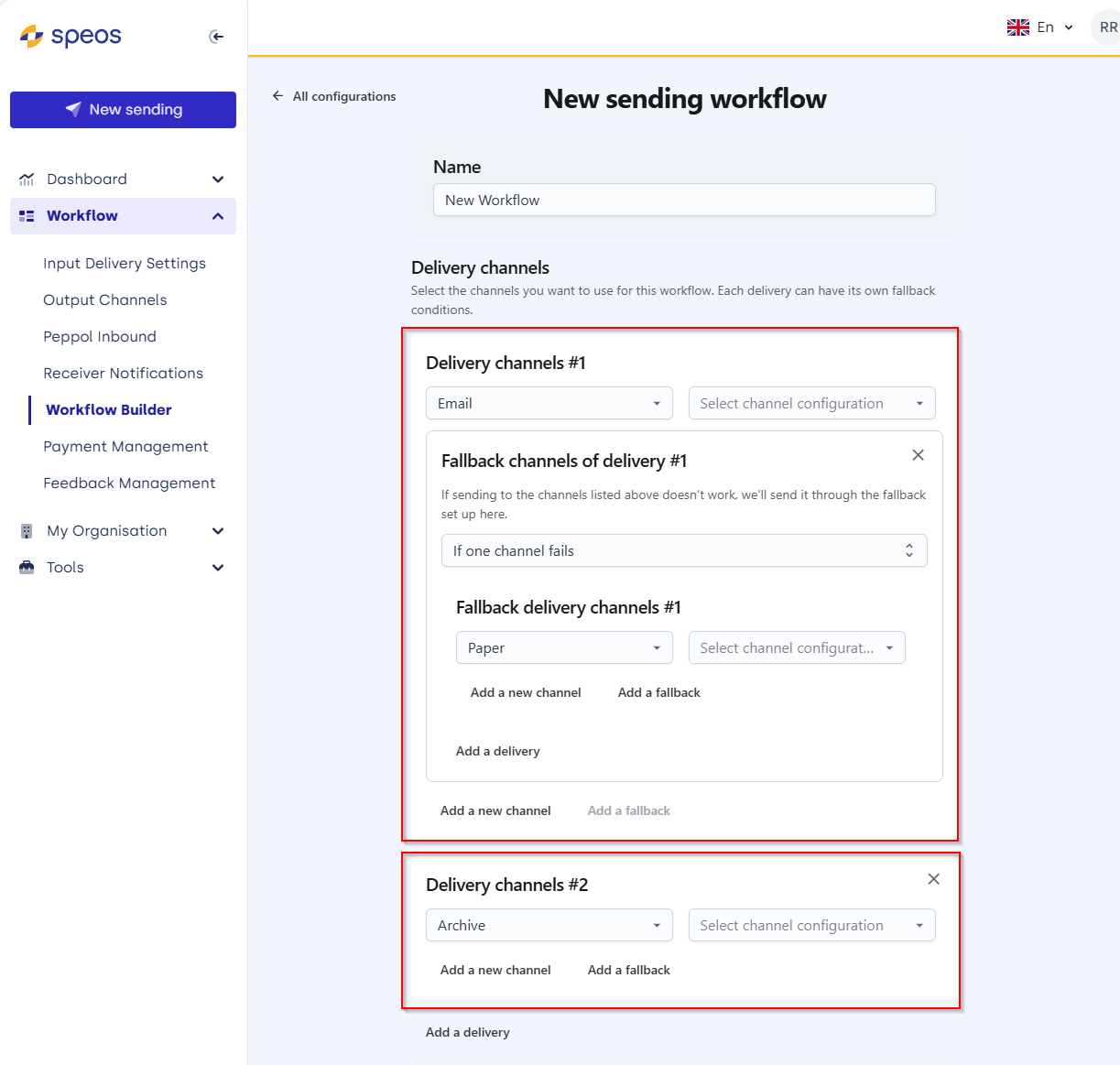
- The top one start with delivery by email, and in case that fails, a fallback delivery on Paper is configured.
- The bottom one has the Archive channel configured and will store the document in our operational archive.
Fallback options
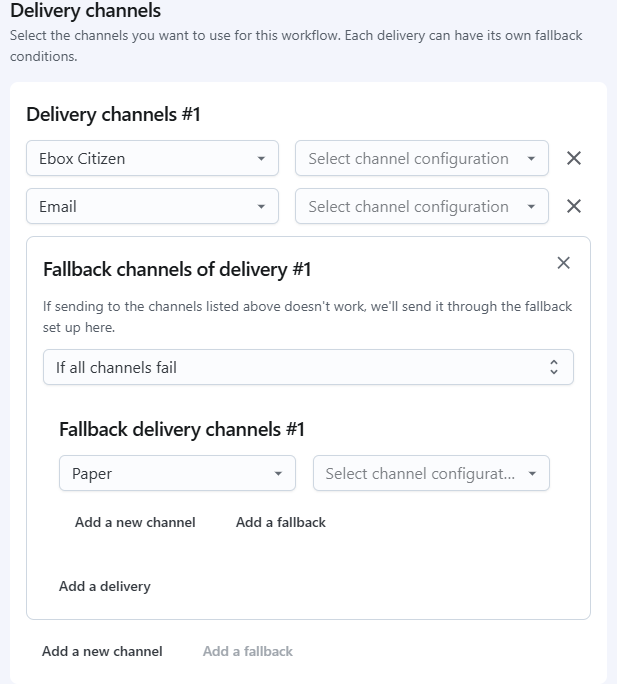
Fallback in case of error is optional. You can also choose if it should be triggered if only one channels inside a Delivery fails, or if all of them fail.
Take the following example: we try to deliver on both eBox and by email. Only if both of them fail, we fallback to paper.